For Premiere Pro editors · Made in Pune, India

The slow parts
of editing, handled.

Six panels for Premiere Pro, made by an editor: cut people out, animate captions, ramp speed, switch podcast cameras, clean up messy projects and pin graphics to anything that moves. No After Effects round trips. Runs on your own computer. You pay once.

Try it free
PROGRAM · RotoCut, text behind the runner00:00:00:00
Your computer
  1. 01RotoCutRoto Brush, inside PremiereGPU
  2. 02WordPopWord-by-word animated captions28 styles
  3. 03VelocityOne-click speed ramps10 presets
  4. 04PodSwitchPodcasts that switch cameras themselves2–4 cams
  5. 05TidyA messy project, sorted in one click1 click
  6. 06PinpointPin anything to anything that movesTracker

Reel 01 / 06 · RotoCut

Cut anyone out.
Never leave Premiere.

Paint over your subject once. RotoCut tracks every frame on your own graphics card and drops a transparent clip straight onto your timeline.

Try RotoCut free →

RUN
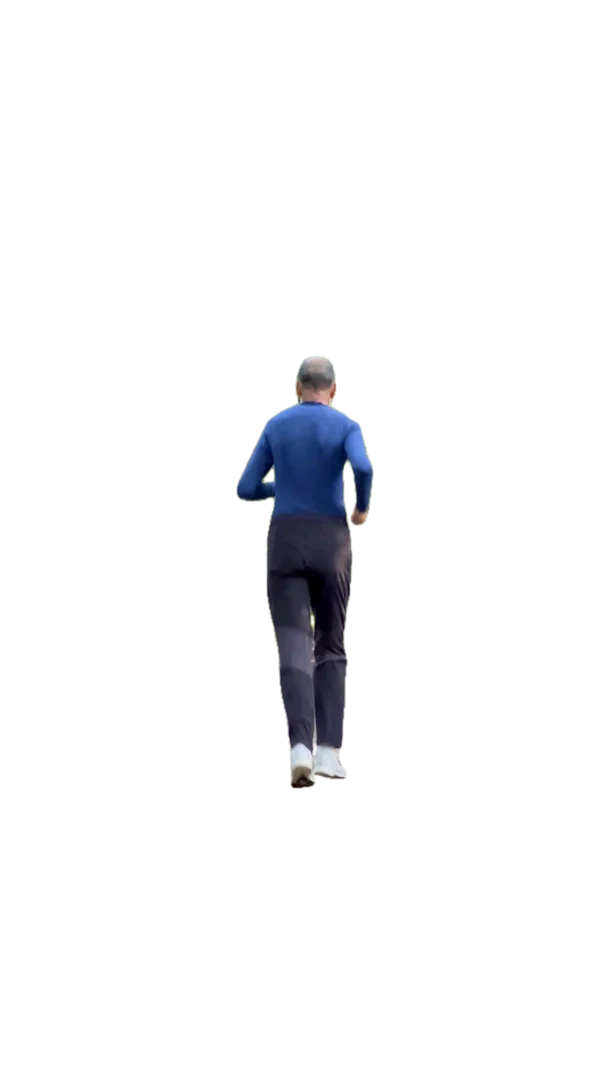
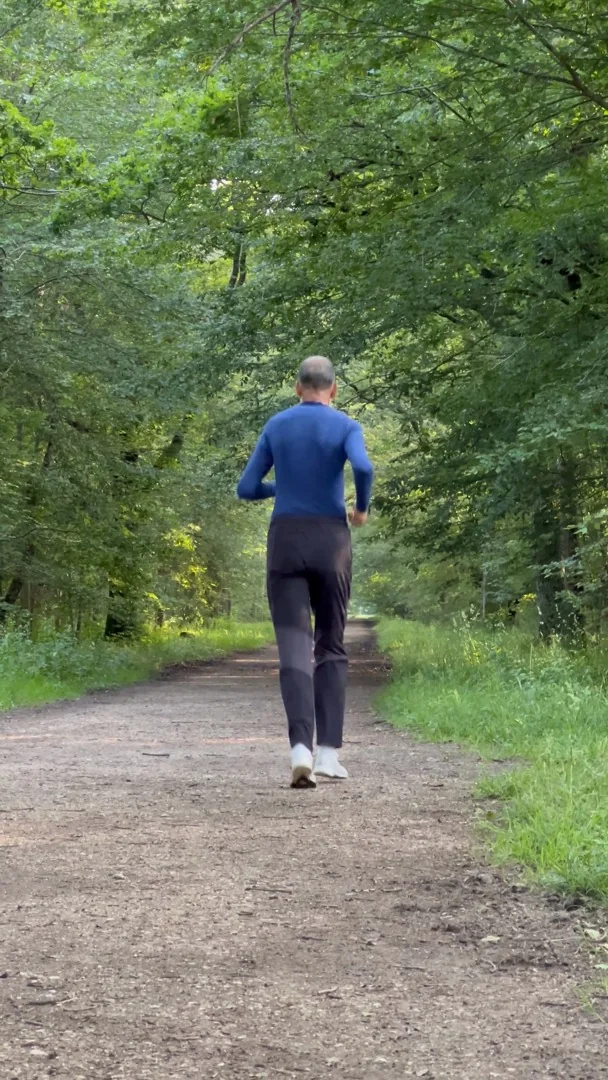
Runner cut out by RotoCut, with text behind her
Original runner footage
Before After

One brush stroke, tracked through all 307 frames.

1

Paint once

Brush over the subject, or trace around it. Remove brush for anything extra.

2

It tracks

Watch it follow your subject live. Fix a frame mid-track and it carries forward.

3

On your timeline

Render & place: a ProRes 4444 clip with transparency lands on the track above.

Offline
Your footage never leaves your PC. No uploads, no account.
GPU
Runs on your NVIDIA graphics card. No cloud credits.
Live
Watch it track. Problem spots are flagged, so you check seconds, not every frame.
0
Trips to After Effects.

Reel 02 / 06 · WordPop

Captions that
hit every word.

Turn Premiere's own Speech to Text captions into animated, word-by-word captions in one click. 28 styles. No AI, no GPU, no internet.

Try WordPop free →

WordPop · the real panel, inside Premiere Pro00:00:00:00

Pick a style, tweak it, and the captions update live on your footage. Then Add to timeline.

1

Make captions

Use Premiere's Speech to Text, export the SRT, or bring any SRT file.

2

Pick a style

Karaoke, Highlight Box, Keynote, Neon… preview it live on your footage.

3

Place it

Transparent ProRes captions land on your timeline, perfectly in sync.

Reel 03 / 06 · Velocity

Speed ramps,
felt, not fiddled.

CapCut-style speed ramps in one click. Pick a preset and it plays instantly. Drag the curve when the client asks for changes. No keyframe wrestling in Time Remapping.

Try Velocity free →

Velocity · the real panel, inside Premiere Pro00:00:00:00

Click a preset, see the ramp play, drag a point to move the slow-mo. Then Apply to clip.

1

Pick a preset

Montage, Hero, Bullet, Flash In, Pulse and more. The preview plays it right away.

2

Shape it

Drag points to move the slow-mo or speed it up. Strength dials the whole ramp up or down.

3

Apply

A smooth ProRes clip lands above the original. Select it later to change the ramp again.

10
Ready-made ramps, from whip-fast montage to bullet-time.
Smooth
Motion blur on the fast parts, frame blending on the slow-mo.
Re-edit
Client wants the slow part earlier? Load the ramp, drag, Apply. It replaces itself.
No GPU
Runs on any Windows PC or Apple Silicon Mac that runs Premiere. (Mac version in final testing.)

Reel 04 / 06 · PodSwitch

Podcasts that
switch themselves.

PodSwitch listens to each mic and cuts to whoever is talking, across 2 to 4 cameras. A one-hour episode is switched in a minute, not an afternoon.

Try PodSwitch free →

PodSwitch · the real panel, inside Premiere Pro00:00:00:00

Pick each speaker's mic and camera, Analyze, and watch it cut. Then Create switched sequence.

One person talks

Their camera, full screen. Short "yeah"s from the listener don't cause a cut.

Both talk, or quick Q&A

Split screen, side by side, instead of cutting back and forth every second.

Vertical video

For Reels and Shorts the split stacks top and bottom.

1

Match mics to cameras

Host mic → Cam A, guest mic → Cam B, plus an optional wide shot. PodSwitch guesses it for you.

2

Analyze

It finds who's talking, ignores a mic picking up the other voice, skips quick "yeah"s, and goes split screen when both talk.

3

Get the edit

A switched copy of your sequence. Your original stays untouched. Change any shot with one click.

Split
Both talking, or quick Q&A? Side by side instead of cutting every second.
Natural
Shortest-shot control, wide shots and cutaways, so it never feels robotic.
Editable
Real cuts on your timeline. Unused shots are switched off, not deleted.
Once
One-time price. Similar tools charge every month.

Reel 05 / 06 · Tidy

A messy project,
sorted in one click.

Tidy sorts every clip into neat bins, finds what you never used, fixes names like "A001_C003_0915XK.MP4" and flags missing media. Hand over a project you're proud of, in seconds.

Try Tidy free →

Tidy · the real panel, inside Premiere Pro00:00:00:00

Scan, see the project now and after, change anything you like. Then Clean project.

1

Scan

Tidy looks at every clip, sound, image and sequence, and checks which ones are really used on a timeline.

2

Check the plan

Now and After, side by side. Move any clip to another bin from its menu. Nothing changes yet.

3

Clean

Numbered bins, unused clips collected, clean names. A backup of the project is saved first.

1 click
Bins, unused clips, names and missing media: the whole project at once.
Safe
Backup first. Files on your disk are never deleted.
Unlimited
Every project, for life. One payment.
Win + Mac
Windows and Mac. (Mac version in final testing.) No GPU needed.

Reel 06 / 06 · Pinpoint

Pin anything
to anything that moves.

Premiere has no motion tracker. Pinpoint adds one: draw a box around a face, a hand or a product, click Track, and stick any title, emoji, arrow or logo to it. No After Effects, no graphics card.

Try Pinpoint free →

Pinpoint · the real panel, inside Premiere Pro00:00:00:00

Draw a box around a hand, Track, and watch the quality bar fill in green. Amber means "have a look here".

1

Draw a box

Around whatever should be followed: a face, a hand, a phone, a car, a logo.

2

Track & check

It follows live, even fast hands. A bar shows every frame's quality; "Problem" jumps to weak spots. Drag the box back there: that's a keyframe, and the track fixes itself around it.

3

Stick it

Click Add text for a title that follows it, or select your own titles, images, videos or a nest (several at once) and click Stick it. Real keyframes you can still edit.

No GPU
Tracks faster than real time on a normal computer. Windows and Mac. (Mac version in final testing.)
Keyframe fixes
Slipped somewhere? Drag the box onto it. Like After Effects, it re-tracks between your keyframes.
Keyframes
No new video files. Your graphic just moves, and stays editable.
Follows size
Optional: the graphic grows and shrinks as the object comes closer or moves away.

Just starting out? · ₹99

After Effects moves,
one click.

Quick FX puts 14 animations on any clip: punch zooms, shakes, slide-ins, pop-ins, Ken Burns and more. Select clips, click, done. No keyframing, no After Effects. Three effects are free forever.

Plus ₹99 back when you buy your first Cutframe plugin: reply to your Quick FX receipt and we refund it. Before launch, your key arrives by email on launch day; the 3 free effects work in the free trial until then.

Quick FX · the real panel, inside Premiere Pro00:00:00:00
14
Effects: zooms, shakes, slides, pops, spins, fades and Ken Burns.
Any clip
Video, photos, titles. Several clips at once.
Editable
Real keyframes in Effect Controls. Change anything after.
Win + Mac
Windows and Mac. (Mac version in final testing.) No GPU needed.

Free forever · Windows & Mac (Mac in testing)

Start with the
free kit.

Cutframe Kit is free for every editor. No trial, no watermark, no catch.

  • Client notes → markers. Paste the client's WhatsApp feedback. Every "0:45 remove this" becomes a marker at 0:45. Tick them off, then copy a ready reply.
  • Reference board. The client's reference videos, screenshots, Instagram and YouTube links and "make it like this" notes, saved with the project. No more scrolling WhatsApp to find them.
Get it free

Cutframe Kit · free, inside Premiere Pro00:00:00:00

Why editors switch

The slow way, or one click.

The usual wayWith Cutframe
Cut out a personRoto Brush in After Effects: export, round trip, re-importRotoCut paints and tracks inside Premiere
Animated captionsKeyframe word by word, or buy caption templatesWordPop turns your SRT into 28 styles in one click
Speed rampsTime Remapping keyframes and bezier handlesVelocity presets you can drag and re-edit
Podcast camera cutsHours of cutting by hand, or a tool billed every monthPodSwitch switches a full episode in a minute
Project handoffSorting bins and hunting unused clips by handTidy cleans the whole project in one click
Text that followsTrack in After Effects, or keyframe it frame by framePinpoint tracks and pins it inside Premiere
PriceMonthly subscriptions that never endPay once, keep it, free updates for the version

Free trial

Try it on your own footage. Free.

Every feature is in the trial, with a few limits: RotoCut, WordPop and Velocity put a small "TRIAL" mark on what they render, PodSwitch switches the first 10 minutes of an episode, Tidy includes 3 full cleanups, Pinpoint tracks 10 seconds at a time, and Quick FX has 3 of its 14 effects. When you're happy, buy a license key and the limits disappear. No reinstall, no card needed to try.

The trial downloads open on launch day, 31 October. Leave your email and we'll send you the download link then. Free, no payment.

My computer

We only email you about your trial and the launch, plus news if you tick the box. No spam.

Pricing

Pay once. Keep it forever.

No subscriptions, free updates for this version, 14-day refund.

RotoCut

Roto Brush inside Premiere

  • Paint, track, render & place
  • Live tracking + Next issue
  • Runs offline on your GPU
Buy RotoCut

WordPop

Animated captions

  • 28 caption styles
  • Works from any SRT
  • No GPU, no internet
Buy WordPop

Velocity

One-click speed ramps

  • 10 ramp presets
  • Editable speed curve
  • Re-edit any ramp later
Buy Velocity

PodSwitch

Podcast camera switching

  • 2–4 speakers, split screen
  • Switched in a minute
  • Your original stays untouched
Buy PodSwitch

Tidy

One-click project cleanup

  • Sorted bins, unused clips, clean names
  • Unlimited cleanups, for life
  • Backup saved before every clean
Buy Tidy

Pinpoint

Motion tracking for titles & graphics

  • Track faces, hands, products
  • Stick titles, emojis, logos
  • Easy to fix, keyframes stay editable
Buy Pinpoint

Secure checkout by Razorpay: cards, UPI, net banking and wallets. Your download link and license arrive by email within 12 hours. 14-day refund on every purchase.

A note from the maker

Made by an editor, for editors.

I'm Shreyash Chougule, a video editor from Pune, India. I built these tools because I was tired of doing the same slow jobs by hand: rotoscoping in After Effects, keyframing captions word by word, nudging speed ramps, cutting podcast cameras for hours, sorting bins before every handoff and keyframing text to follow things.

Everything runs on your own computer, and you pay once. If something doesn't work for you, email me. I'll fix it, or refund you.

Shreyash

Pune, India · Email me

Questions

Asked and answered.

Windows 10 / 1164-bit. All six tools.
Mac · Apple SiliconM1 or newer, macOS 14+. WordPop, Velocity, PodSwitch, Tidy and Pinpoint. In final testing before launch. RotoCut for Mac is planned.
Premiere Pro 2022+Opens as a panel: Window → Extensions.
RotoCut: NVIDIA GPUGTX 1650 / RTX 2050 or newer, 16 GB RAM recommended. The others need no GPU.
Is there a free trial?

Yes, for every tool, with a few limits: RotoCut, WordPop and Velocity put a small "TRIAL" mark on what they render, PodSwitch switches the first 10 minutes of an episode, Tidy includes 3 full cleanups, Pinpoint tracks 10 seconds at a time, and Quick FX has 3 of its 14 effects. Buy a license key and paste it into the panel to remove the limits: no reinstall. Get the trial.

Do I need After Effects?

No. That's the point: everything happens in a panel inside Premiere Pro, and the result is placed on your timeline.

Is it a subscription?

No. You pay once and keep the version you bought, with free updates for that version.

Early bird or waitlist: what's the difference?

Early bird: you pay now, at the lower price, and get the installer and license key by email on launch day (31 October). The early-bird price is open to everyone until launch day starts. Waitlist: free, no payment; we email you on launch day and you pay the regular price then. You can use the free trial either way.

What if I pay early and it doesn't work for me?

You get a full refund: before launch day for any reason, if it reaches you late, and for 14 days after you receive it. Email us with your Razorpay payment ID.

Does it work on Mac?

WordPop, Velocity, PodSwitch, Tidy, Pinpoint, Quick FX and the free Cutframe Kit are made for Apple Silicon Macs (M1 or newer) with macOS 14 or later. The Mac versions are in final testing: we only send a Mac version once it has passed our tests on a real Mac. If the one you ordered isn't ready on launch day, you choose: a full refund, or wait for it. RotoCut needs an NVIDIA graphics card, so it's Windows only for now; a Mac version is planned. Tell me when it's ready.

Does my footage get uploaded anywhere?

Never. All six tools run entirely on your own computer and work without internet.

How good is RotoCut on hair and fast motion?

People, products and pets with clear edges track very well. Fine hair and heavy motion blur are softer. Test it on your own footage with the free trial first.

What does the bundle include?

RotoCut, WordPop, Velocity, PodSwitch, Tidy and Pinpoint, plus Quick FX free, with free updates for this version of each. (On Mac: the Mac Bundle, with WordPop, Velocity, PodSwitch, Tidy, Pinpoint and Quick FX.)

What does PodSwitch need?

Each person on their own microphone track (lapel or separate mics, as most podcasts record), and the cameras synced in your sequence. It works with 2 to 4 speakers and an optional wide shot, on any computer: no graphics card needed.

How well does Pinpoint track?

Faces, hands, products, cars and logos track very well, on any computer. A tiny, fast, blurry detail can slip for a few frames; the quality bar shows exactly where, and you fix it by dragging the box back onto it: that adds a keyframe and the track fixes itself around it. Try it free on your own footage first.

What is Quick FX?

Our ₹99 starter: 14 one-click animations (zooms, shakes, slides, pops and more) for any clip, as real keyframes you can edit. Three effects are free forever. When you later buy any Cutframe plugin, reply to your Quick FX receipt and we refund the ₹99. It's free in both bundles. Bought before launch, its key arrives on launch day, like the early-bird orders.

Can Tidy break my project?

No. Nothing changes until you click Clean project, and Tidy saves a copy of your project first ("… (before Tidy).prproj"). It only moves and renames items inside Premiere; it never deletes or renames files on your disk.

How do I get the plugin after paying?

By email: your license key, the download link and install steps. Paid before launch (early bird, or Quick FX): on launch day, 31 October. After launch: within 12 hours, usually much sooner. Paste the key into the panel and you're done.

How can I pay?

In India: UPI, cards, net banking or wallets, in rupees. Anywhere else: international cards, in US dollars. Checkout is by Razorpay; we never see your card or bank details.

Refunds?

If it doesn't work on your computer, email us within 14 days of receiving it for a full refund. Early birds can also cancel any time before launch day. See the refund policy.
The Cutframe list

New tools, first.

One short email when there's a new tool, a big update or an offer. Editing tips now and then. No spam, unsubscribe any time.

End of reel

Stop doing it
by hand.